
FastTrack Training 2026
Purchase this learning path for full access!
Purchase Learning PathUser membership ID:
LP access: int(0)
LP started: NULL
Purchase Required
You are currently viewing a preview of this learning path. Purchase this learning path have full access!
Learning Path Content & Exercises
Getting Started
These sections will have you setup PixInsight for this course and start looking at the user interface and the data.
of modules completed 0%
01 FastTrack Training 2026: Introduction and WorkFlow Chart
This video begins the FastTrack Training course.
02 Download the FastTrack Training OSC Images 2026
This is the first video lesson in FastTrack Training 2026. Please see the Resources area to download the data. (Watch the video below!) The data…
03 Download the GAIA Catalog (FastTrack Training 2026)
This lesson shows how to download the GAIA star catalog files from your account on the official Pixinsight website and then set up the GAIA…
04 FastTrack Training 2026 Open ONE Image
In this FastTrack Training lesson we open an image- which opens up the universe of information that needs to be covered!
05 FastTrack Training 2026 Discussion: Examine the Images See the Interface
This lesson is a FastTracking Training discussion section that follows “Open One Image.”
06 FastTrack Training 2026 Open Many Images (Blink)
The Blink tool is introduced in FastTrack Training. This lesson is coupled with subsequent discussion module.
07 FastTrack Training 2026 Open Many Image (Blink) Discussion
This video enumerates a handful of observations discovered by blinking the data.
08 FastTrack Training 2026 STF Utilization
This lesson comes from Stretch Academy (the course). However, it is important to get a sense of how the STF process works so I have…
09 FastTrack Training 2026 Debayer Process
In this FastTrack Training lesson the Debayer Process is introduced.
10 FastTrack Training 2026 Color Me Correctly (Debayer Discussion)
In this FastTrack Training video the method for discovering correctly debayered images is demonstrated.
WBPP and Calibrate Only Workflow
of modules completed 0%
11 FastTrack Training 2026 Cosmetic Correction
Cosmetic Correction is introduced in this lesson. This particular data set requires the use of the Cosmetic Correct process. However, the default automatic method (new…

Astronomical Image Calibration
Originally Published in 2021- this video is an overview of astronomical image calibration (via WBPP) and still good today (06/28/2023).
13 FastTrack Training 2026 WBPP Configuration
The good stuff of FastTrack Training starts to happen in this lesson. We configure WBPP for the “Calibrate Only” method of execution. Please see the…
15 FastTrack Training 2026 Align Your Images
In this FastTrack Training video we introduce and use the StarAlignment process to register/align our images. StarAlignment also produces drizzle files which will be important…
16 FastTrack Training 2026 Are Your Images Aligned?
In this FastTrack Training Lesson we verify the images are aligned by blinking them. Please see this video concerning Hot Pixels that frequently gives PixInsight…
17 FastTrack Training 2026 Local Normalization
The normalization of images is a necessary step to prepare the images to be stacked. It is a way to match images in terms of…
18 FastTrack Training 2026 ImageIntegration (Stacking)
Now we are getting there! In this episode we set up and combine the data with Image Integration. There are videos that are associated with…
19 FastTrack Training 2026 CFA Drizzle Integration
This video shows how to do the final stacking of OSC images using Drizzle Integration. This is an important step to maintain optimum color fidelity…
20 FastTrack Training 2026 Do The Astrometry (Image Solver)
In this section we learn how to use ImageSolver to calculate an astrometric solution. This is a necessary step for upcoming processing including gradient correction…

21 FastTrack Training 2026 Did it Measure Up? (Astrometry Discussion)
This is the discussion section for Astrometric Solutions and Image Solver. 99% of the problems with ImageSolver deal with one of three parameters. Also shown…
Standard Post-Processing Workflow
of modules completed 0%
22 FastTrack Training 2026 Gradient Correction Introduction
This video introduces the three main methods of gradient correction in PixInsight.
MultiScale Gradient Correction
Published 2025-03-04 Multiscale Gradient Correction is destined to be the standard method of gradient removal in PixInsight. Learn its basic usage in this video and…
24 FastTrack Training 2026 Gradient Correction Demonstrations (DBE and GradCorr)
In this FastTrack Training lesson both DBE and Gradient Correction (the process) are used to remove gradients on an image with severe issues so that…
25 FastTrack Training 2026 SPCC
This video demonstrates how to use SPCC- high-precision color calibration process found only in PixInsight. Please also watch the videos below for more information- especially…
26 FastTrack Training 2026 BlurXTerminator
This lesson demonstrates how to use BlurXTerminator on the (still) linear data. The “XTerminator” software is a must for courseware for my processing and instruction.…
27 FastTrack Training 2026 Permanent Stretch (MultiScaleAdaptive Stretch)
This lesson demonstrates the old school method of stretching using the STF AutoStretch in combination with the HistogramTransformation process. Then the image is stretched officially…
28 FastTrack Training 2026 Noise Reduction (NXT) and Exclusive DBE Trick
In this lesson a brief explanation of noise reduction using NoiseXTerminator highlights a simple approach to its use. In addition an important philosophical distinction is…
29 FastTrack Training 2026 Final Processing (OSC)
Final processing steps are taken to complete this image. This lesson highlights the usage of several 3rd-party (free) scripts including the GAME script and the…
Monochrome (RGB) Example
of modules completed 0%
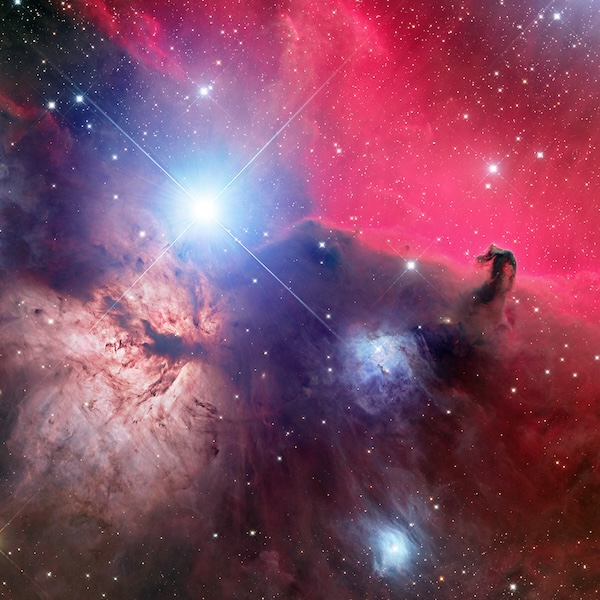
Data Download HorseHead Nebula (FastTrack Training Mono)
The files below will allow you to follow along with the instruction for the mono processing example in FastTrack Training (of the HorseHead Nebula). NOTE…
Full WBPP Configuration
Published 2025-03-06 This video shows the setup for processing mono data using WBPP.
RGB Combination and Gradient Correction
Published 2025-03-07 Here we continue our processing of the HorseHead Nebula by examining the WBPP ouput (stacked data) followed by using Multiscale Gradient Correction.
BlurXTerminator and StarXTerminator
Published 2025-03-07 We continue processing this image using BlurXTerminator and StarXTerminator in preparation for the final adjustments.
Nebula Processing
Published 2025-03-09 This video demonstrates the removal of the blue bias with DBE. This issue has been present for this data from the beginning. Then…
Putting it Together
Published 2025-03-09 This video wraps up the processing for purposes of FastTrack Training with a masked application of USM and of course blending the stars…
Bonus Sections

of modules completed 0%
GradientCorrection Process (I)
This video covers the fundamental usage of the GradientCorrection process and is a BONUS section of FastTrack Training. It is a good tool to use…
FastTrack 2022 : Asteroid Bonus
Published 11/27/2022 Learn how to discover asteroids in subframes- a nice consequence of having an astrometric solution.

Description
FastTrack Training is a course for anyone starting out with PixInsight and wants an easy-to-follow, repeatable workflow that results in a finished image. No background knowledge required. FastTrack is straightforward, fast, and explains the steps that you will always do when creating your images in PixInsight. It’s streamlined enough that you can go from the raw files to a completed image in a single sitting. FastTrack comes complete with 10 hours of high quality video tutorials and sample data downloads for both OSC and Monochrome demonstrations.
This course is updated often since it is the front line of the software. Updates show up in the Infinity Subscription nearly instantly. New editions of FastTrack Training will be created once there are enough changes that it becomes too outdated. Thus the Infinity Subscription is the way to stay up-to-date on everything on this site and PixInsight.
Russ Croman’s software is used in FastTrack Training and throughout the courseware.
Use the affiliate links below to purchase the XTerminator software and support this website! (Thanks!)
 |
 |
 |
